Browser extension
Browse Polymarket like normal and see which sharps are holding any market, right on the page - then mirror them in a click, without leaving the tab.
Install it
It's live on the Chrome Web Store and Firefox Add-ons. Click your browser, hit Add on the store page, and pin the Mirrored icon - then open any Polymarket market and the panel's there.
 Add to Chrome
 Add to Firefox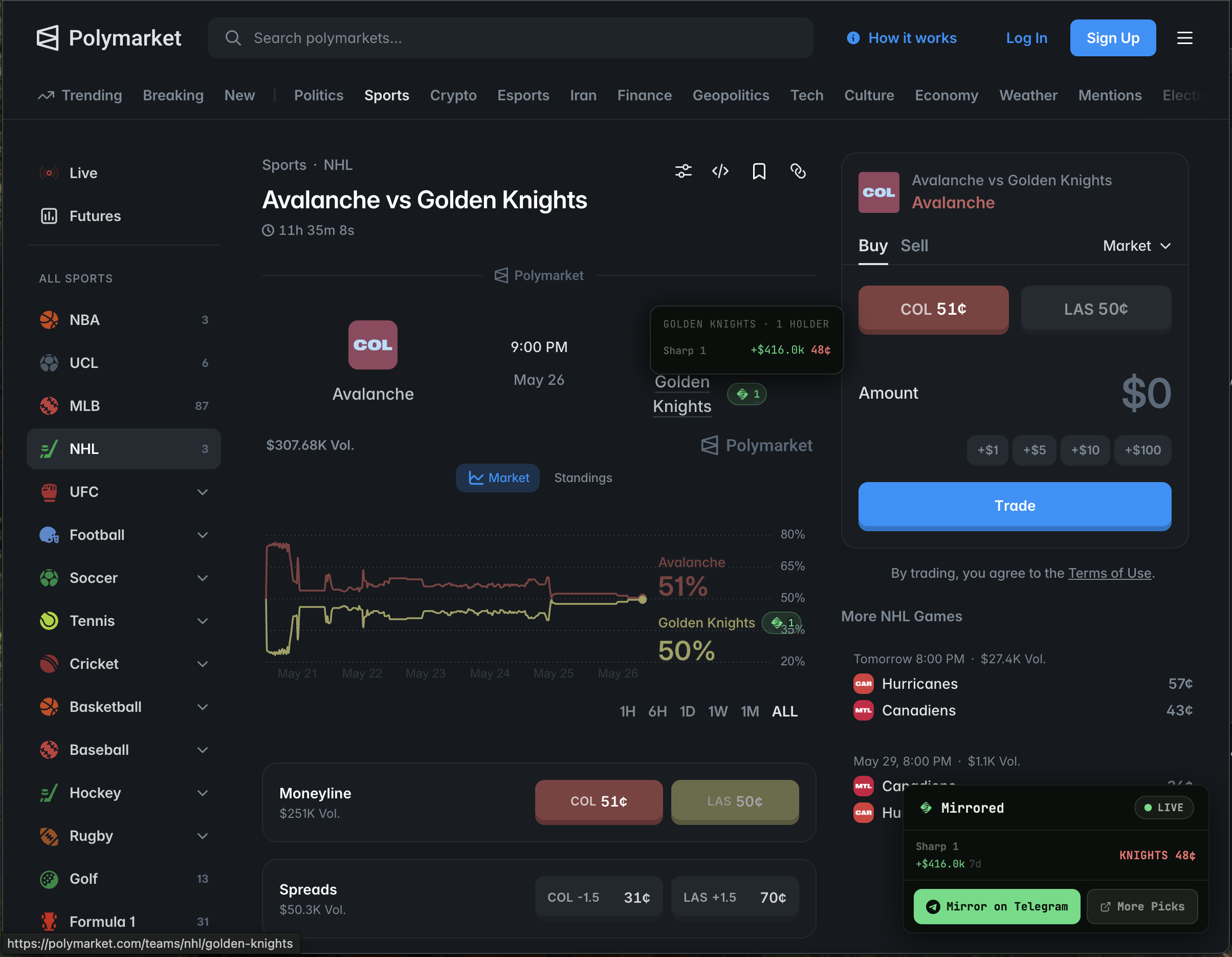
What it does
It runs quietly on polymarket.com and surfaces the sharps wherever you are on the site.
Sharps on every market
Open a market and a panel shows which sharps hold it - the side they're on, their entry price, and recent P&L.
Hot-market badges
Market tiles show how many sharps are in. The hottest get a gold badge, so they stand out as you scroll.
Mirror in a click
Start copying a trader straight from the page - no addresses to copy-paste.
Read-only and private
The extension only reads the page you're on and talks to mirrored.trade to fetch sharp data. It refreshes about once a minute.
Works on
- Chrome and Chromium browsers - Brave, Edge, Arc.
- Firefox.